Layer 3 Is the Network Layer That Routes Packets Across Networks
Layer 3 Is the part of the OSI model that moves packets from one network to another using logical addresses, routing decisions, and forwarding rules. In practical terms, Layer 3 is where IP addressing, subnetting, routers, routing tables, packet forwarding, fragmentation, and basic path selection come together so data can travel beyond a local link and reach a destination across an internetwork.
Layer 3 matters because most real communication does not stop inside one cable, one Wi-Fi network, or one Ethernet segment. A phone opening a website, a branch office reaching a cloud application, and a server responding to an API request all depend on Layer 3 behavior. The network layer gives each host a logical address, decides where a packet should go next, and hands that packet to the next device on the path.
What is Layer 3 in the OSI model?
Layer 3 is the network layer in the seven-layer OSI model. It sits above , the data link layer, and below , the transport layer. Layer 2 handles local delivery on a shared medium or local network segment, while Layer 4 manages end-to-end transport behavior such as TCP sessions or UDP datagrams. Layer 3 bridges the space between those jobs by making delivery possible across multiple networks.
Layer 3 uses logical addressing rather than only physical addressing. A Layer 2 Ethernet frame uses a MAC address to reach a nearby network interface. A Layer 3 packet uses an IP address to identify the source and destination across a wider set of networks. That distinction is why a device can move traffic from a home network to an internet service provider, through several routers, and eventually to a remote server.
Layer 3 is often described as the routing layer, but routing is only one part of the work. The network layer also supports packet structure, path selection, hop-by-hop forwarding, certain diagnostic messages, fragmentation rules in some situations, and traffic treatment signals such as quality of service markings. When people troubleshoot reachability, subnets, gateways, or route tables, they are usually working in Layer 3 territory.
How does Layer 3 route packets?
Layer 3 routing begins when a device creates an IP packet with a source address and a destination address. If the destination is on the same local subnet, the device can use local delivery through Layer 2. If the destination is outside the local subnet, the device sends the packet to a default gateway, usually a router or Layer 3 switch. That gateway examines the destination IP address and chooses the next hop.
Layer 3 devices make forwarding decisions by consulting routing tables. A routing table can contain directly connected networks, static routes added by an administrator, and dynamic routes learned through routing protocols. The router looks for the most specific matching route, then forwards the packet out the proper interface. Each router along the path repeats that process until the packet reaches a network where the destination host can receive it.
Layer 3 forwarding is hop based rather than session based. A router does not need to know the whole user conversation in order to forward a packet. It only needs enough information to decide the next best hop. Higher layers may track application behavior or connection state, but Layer 3 focuses on moving individual packets according to addressing and routing logic.
Why IP addressing is central to Layer 3
Layer 3 depends on IP addressing because routers need a structured way to understand where networks begin and end. IPv4 addresses, such as 192.0.2.10, and IPv6 addresses, such as 2001:db8::10, both identify interfaces in a logical address space. A subnet mask or prefix length tells devices which part of the address represents the network and which part represents the host.
Layer 3 addressing makes aggregation possible. Instead of carrying a separate route for every single device, routers can often carry a route for a whole prefix, such as 10.20.30.0/24 or 2001:db8:1234::/48. This keeps routing tables more manageable and helps large networks scale. Address planning, subnet design, and gateway placement are therefore practical Layer 3 skills, not just theory.
Layer 3 also creates a boundary between local and remote communication. When a host compares its own IP address and subnet prefix with a destination address, it can decide whether to send directly on the local network or forward traffic to a gateway. That single decision affects everyday behavior: whether a printer is reachable, whether a VPN route is used, or whether a server request leaves the local site.
What protocols work at Layer 3?
Layer 3 is most closely associated with Internet Protocol, especially IPv4 and IPv6. IP defines packet addressing and forwarding behavior, but it is not the only protocol people encounter at the network layer. ICMP supports control and diagnostic messages, including the kind used by ping and traceroute. IGMP helps hosts participate in IPv4 multicast groups. IPsec can protect IP traffic by adding authentication and encryption features at the network layer.
Layer 3 routing protocols help routers learn paths. RIP, OSPF, IS-IS, EIGRP, and BGP are common examples in different environments, though they vary widely in design and use case. Some are used inside an organization, while BGP is central to routing between autonomous systems on the internet. The exact protocol matters less for a beginner than the shared idea: routers exchange information so they can update routing tables and adapt when paths change.
Layer 3 multicast and specialized routing technologies can also appear in enterprise, service provider, and data center networks. Protocol Independent Multicast, distance vector multicast routing, and related designs exist for traffic that must reach multiple receivers efficiently. A typical user may never configure these features, but they show how Layer 3 extends beyond simple one-to-one packet forwarding.
What are the main Layer 3 use cases?
Layer 3 appears anywhere traffic must cross a network boundary. In a home, Layer 3 is present when a router sends traffic from a private LAN to an internet provider. In an office, Layer 3 separates departments into VLANs and routes between them under controlled policy. In a data center, Layer 3 can connect server networks, load balancer segments, firewall zones, and cloud gateways.
Layer 3 is also essential for remote access and hybrid networks. A VPN often adds routes that tell a laptop which private networks are reachable through the tunnel. A cloud environment uses route tables to steer packets between subnets, internet gateways, NAT gateways, and private endpoints. A campus network may use Layer 3 switches to route quickly between many building or floor networks.
Layer 3 responsibilities commonly include:
Assigning and interpreting IPv4 or IPv6 addresses and prefixes.
Choosing a next hop through static or dynamic routing.
Forwarding packets between subnets, VLANs, sites, or providers.
Supporting diagnostics with tools such as ping and traceroute.
Applying traffic treatment with quality of service markings where supported.
Creating network boundaries that can be filtered by firewalls or access rules.
Layer 3 use cases are not limited to large networks. Even a small setup benefits from clear network layer design. A clean address plan makes troubleshooting easier, reduces accidental overlap, and helps administrators understand where traffic should go. Poor Layer 3 design can make simple problems feel random because the same symptom may come from addressing, routing, gateway, or filtering mistakes.
How do you set up Layer 3 connectivity step by step?
Layer 3 setup starts with defining the networks that need to communicate. For a small environment, that may mean one LAN, one guest network, and one internet uplink. For a larger environment, it may mean many subnets, cloud VPCs or virtual networks, VPN ranges, and service segments. The goal is to give every network a unique prefix and a clear gateway.
Layer 3 configuration then usually follows a practical sequence. First, assign IP addresses and prefix lengths to device interfaces. Second, configure each host with a default gateway. Third, add routes so routers know where to send remote traffic. Fourth, confirm that firewalls, access control lists, or security groups allow the intended flows. Finally, test with simple tools before blaming an application.
Choose non-overlapping IPv4 or IPv6 prefixes for each network.
Configure router or Layer 3 switch interfaces for those prefixes.
Set the correct default gateway on hosts in each subnet.
Add static routes or enable a routing protocol where needed.
Test local gateway reachability, then remote subnet reachability.
Verify name resolution and application ports after packet routing works.
Layer 3 troubleshooting is easier when each test proves one part of the path. If a host cannot reach its gateway, the issue may be local addressing, VLAN membership, cabling, Wi-Fi association, or Layer 2 behavior. If the gateway works but a remote subnet fails, the issue may be a missing route, an incorrect return path, or filtering. If routing works but a website fails, the problem may be DNS, TLS, proxy settings, or Layer 4 and above.
What are the benefits of understanding Layer 3?
Layer 3 knowledge makes network behavior less mysterious. Instead of treating connectivity as a single yes-or-no result, a person can break the path into address, subnet, gateway, route, next hop, and return path. This is useful for administrators, developers, security analysts, cloud engineers, and anyone responsible for keeping services reachable.
Layer 3 design also improves scalability. A flat local network may work when there are only a few devices, but growth usually requires segmentation. Subnets can separate users, servers, guests, management interfaces, and sensitive systems. Routing then connects those areas in a controlled way. This structure supports cleaner policy, better performance boundaries, and clearer ownership.
Layer 3 visibility helps with performance and reliability as well. Latency, packet loss, asymmetric routes, and path changes can affect user experience even when an application is healthy. A traceroute can show the path a packet appears to take. Routing metrics can explain why one link is preferred over another. Quality of service markings may help certain traffic classes receive better handling on networks that honor those markings.
What Layer 3 risks and safety issues should you know?
Layer 3 mistakes can create outages because routing decisions affect entire networks, not just one device. A wrong subnet mask can make a host believe remote addresses are local. A missing default route can strand traffic. A route leak can send traffic to the wrong place. Overlapping private address ranges can break VPNs and cloud connections because devices cannot tell which destination is intended.
Layer 3 is also part of network security, although it is not a complete security model by itself. Routers and Layer 3 switches can enforce access control lists, but many environments rely on firewalls, identity-aware controls, endpoint security, and application protections too. IP addresses can be spoofed in some situations, so address-based trust should be used carefully and validated against the real network design.
Layer 3 diagnostics can reveal sensitive information about network layout, so operational teams should decide which messages and paths are appropriate to expose. ICMP is useful, but uncontrolled responses may assist reconnaissance. Blocking all diagnostic traffic can make troubleshooting harder, while allowing everything may be unnecessary. The better answer is usually deliberate policy that fits the environment.
How is Layer 3 different from Layer 2 and Layer 4?
Layer 3 is easiest to understand when compared with its neighbors. Layer 2 moves frames on a local link using MAC addresses and technologies such as Ethernet or Wi-Fi. Layer 3 moves packets between networks using logical addresses and routing. Layer 4 provides transport behavior using protocols such as TCP and UDP, including ports that identify services on a host.
Layer
Main job
Common identifiers
Typical devices or tools
Layer 2
Local frame delivery
MAC address, VLAN ID
Switches, bridges, Ethernet
Layer 3
Packet delivery across networks
IP address, subnet, route
Routers, Layer 3 switches, ICMP
Layer 4
Transport between hosts and services
TCP or UDP port
Firewalls, load balancers, sockets
Layer 3 does not replace the other layers. A packet still needs Layer 2 framing to move across each local segment, and most applications still rely on Layer 4 behavior. The layers cooperate. When someone says a problem is a Layer 3 issue, they usually mean IP addressing, routing, gateway selection, or packet reachability is the likely cause.
When should you think about Layer 3 first?
Layer 3 should be considered early whenever a device can reach some destinations but not others. That pattern often points to subnet, gateway, route, or return-path behavior. For example, a laptop might reach the internet but not a private server over VPN, or a cloud instance might reach nearby services but not an on-premises database. In both cases, Layer 3 checks can quickly narrow the field.
Layer 3 should also be reviewed before major changes. Adding a new VLAN, connecting a branch office, building a cloud network, renumbering a subnet, or changing a firewall path can all alter routing. A simple diagram showing prefixes, gateways, and next hops can prevent many errors. The diagram does not need to be elaborate; it needs to be accurate enough to show where packets should go and how replies return.
Layer 3 is a foundational concept because it turns separate local networks into a connected system. Once you understand IP addresses, subnets, gateways, routing tables, and packet forwarding, many network topics become easier to place. Wireless, Ethernet, VPNs, firewalls, cloud networking, multicast, and performance troubleshooting all make more sense when the network layer is clear.
Reader rating:
4.5 / 5
based on 621 ratings
Questions and Answers
What does Layer 3 mean in networking?
Layer 3 means the network layer of the OSI model. It is responsible for logical addressing and packet forwarding between networks. In most modern networks, Layer 3 work centers on IP addressing, subnets, routers, routing tables, and next-hop decisions. It allows data to move beyond a local network segment and reach destinations across an organization, a cloud environment, or the internet.
Is Layer 3 the same as IP routing?
Layer 3 is broader than IP routing, but IP routing is its most familiar function. The network layer includes packet addressing, forwarding, route selection, and control messages. IPv4 and IPv6 are the main Layer 3 protocols used for addressing and delivery. Routing is the process Layer 3 devices use to choose where packets should go next.
What devices operate at Layer 3?
Routers are the classic Layer 3 devices because they forward packets between different networks. Many enterprise switches also support Layer 3 functions, including routed interfaces, VLAN interfaces, static routes, and dynamic routing protocols. Firewalls, VPN gateways, cloud route tables, and some load balancers also make Layer 3 decisions when they inspect IP addresses and direct traffic between network segments.
How is Layer 3 different from Layer 2?
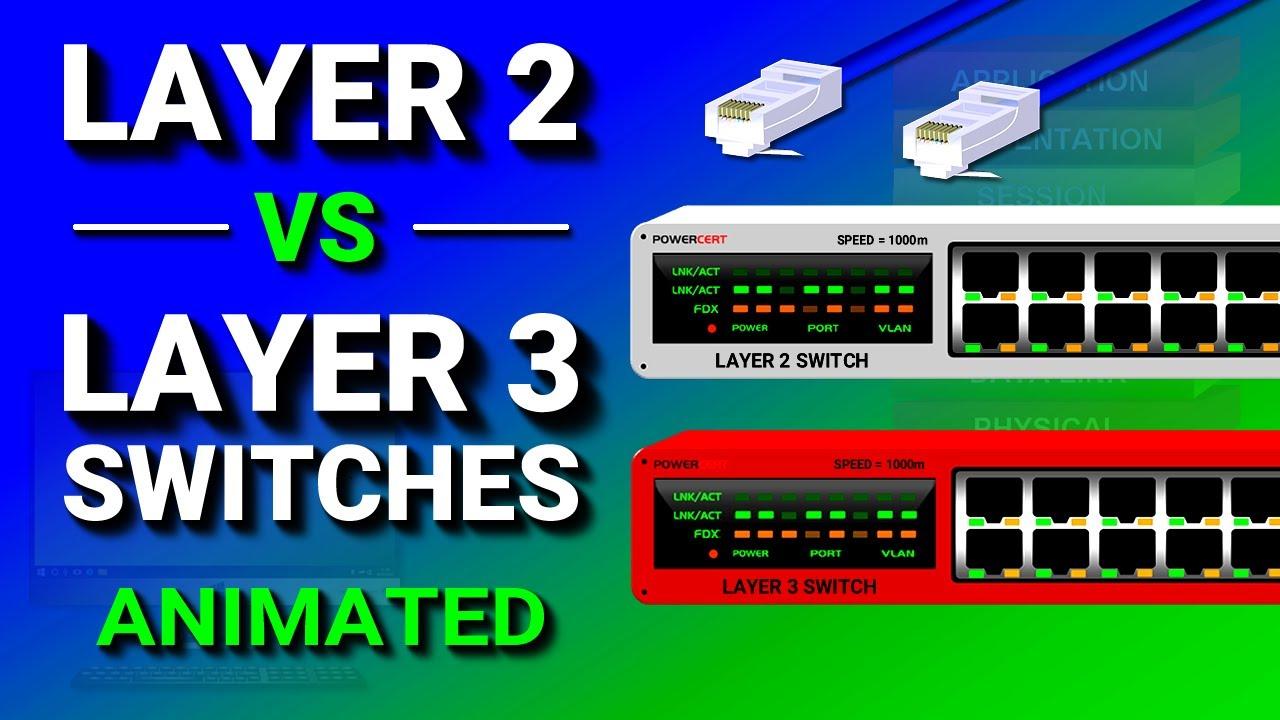
Layer 2 handles local frame delivery using MAC addresses and technologies such as Ethernet or Wi-Fi. Layer 3 handles packet delivery between networks using IP addresses, subnets, gateways, and routes. A Layer 2 switch can move traffic within a local segment, while a Layer 3 router or Layer 3 switch can move traffic from one subnet to another.
Why is subnetting important for Layer 3?
Subnetting tells devices which IP addresses are local and which addresses must be reached through a gateway. It also lets administrators divide a network into smaller, clearer segments for routing, security, and management. Good subnet design reduces address conflicts, supports growth, and makes troubleshooting easier because each network has a defined prefix and expected Layer 3 path.
What are common Layer 3 troubleshooting steps?
Common Layer 3 troubleshooting starts by checking the device IP address, subnet mask or prefix length, default gateway, and route table. Then test whether the host can reach its gateway, a remote IP address, and finally a named service. Tools such as ping and traceroute can help identify whether the issue is local reachability, missing routing, a blocked path, or a higher-layer problem.
Can Layer 3 improve network security?
Layer 3 can support security by separating networks and allowing route controls or access rules between them. For example, users, servers, guests, and management systems can be placed in different subnets. However, Layer 3 alone is not complete security. Firewalls, authentication, monitoring, endpoint controls, and application protections are usually needed for a stronger security posture.
The network layer (also packet level) provides a defined benefit services for switching connections and packet-oriented services for the relaying of data packets. The data transmission in both cases will go over the entire communication network and includes the route search (routing) between the network nodes. Because not always a direct communication between the sender and the target is possible, packets must be forwarded by nodes that are on the way. Next mediated packets do not reach the higher layers, but are provided with a new intermediate target and sent to the next node.
The main tasks of the network layer is one of providing cross-network addresses, the routing and the construction and updating of routing tables and the fragmentation of data packets. But the negotiation and ensure a certain quality of service falls within the remit of the network layer.
OSI Layer 3 - Network Layer
In the seven-layer OSI model of computer networking, the network layer is layer 3. The network layer is responsible for packet forwarding including routing through intermediate routers, since it knows the address of neighboring network nodes, and it also manages quality of service (QoS), and recognizes and forwards local host domain messages to the Transport layer (layer 4). The data link layer (layer 2) is responsible for media access control, flow control and error checking.
The network layer provides the functional and procedural means of transferring variable-length data sequences from a source to a destination host via one or more networks, while maintaining the quality of service functions.