Layer 3 guide Is a practical map to the network layer
Layer 3 guide Is a clear explanation of how the network layer moves packets from one host to another across local and remote networks. In simple terms, Layer 3 is where IP addressing, routing decisions, packet forwarding, fragmentation, and basic quality of service concerns come together. If Layer 2 handles local delivery on a link, Layer 3 decides how traffic can travel beyond that link toward its destination.
Layer 3 guide readers usually want more than a definition. They want to understand why routers matter, why an IP address is different from a MAC address, why subnets exist, and how a packet can leave a laptop, cross several networks, and arrive at a server without the sender knowing every physical path in between. This page treats Layer 3 as a working system rather than a memorized exam term.
What is Layer 3 guide in networking?
Layer 3 guide refers to the network layer in the OSI model, the conceptual layer responsible for logical addressing and delivery across networks. The most familiar Layer 3 protocol is IP, including IPv4 and IPv6. While Ethernet and Wi-Fi move frames across a local medium, IP gives devices addresses that can be used for routing through larger internetworks.
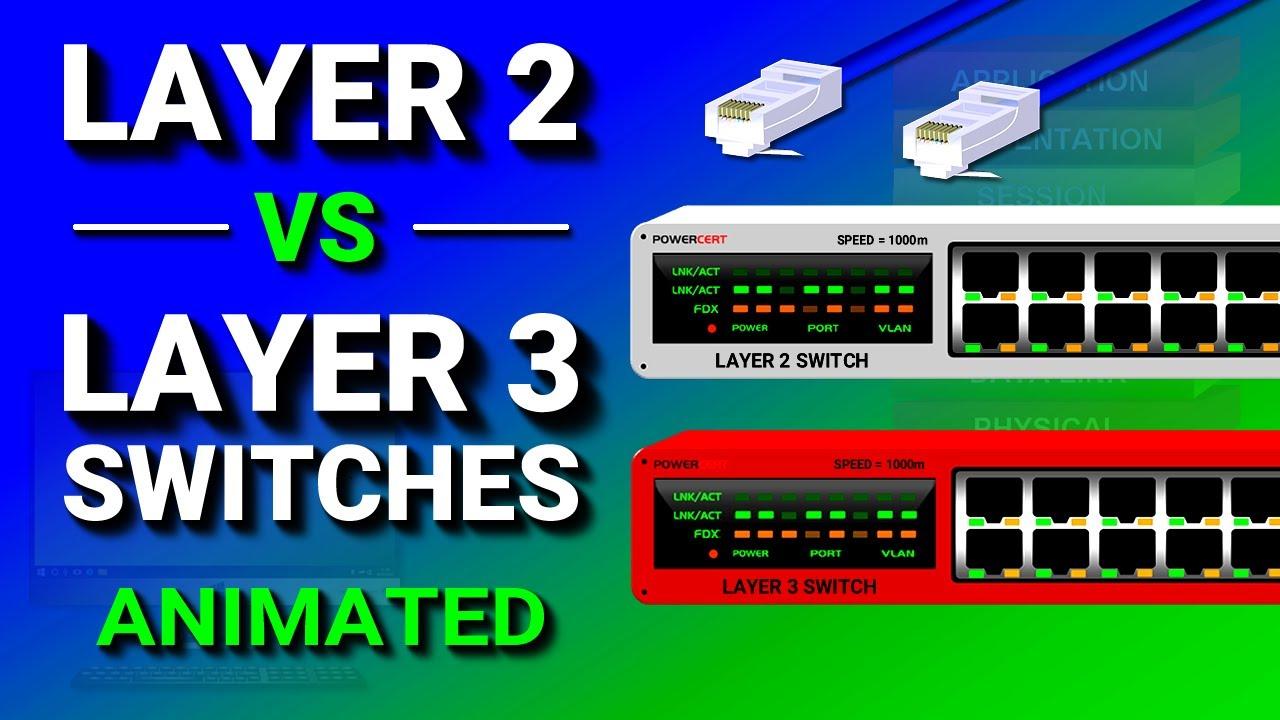
Layer 3 guide is often easiest to understand by contrast. A Layer 2 switch learns MAC addresses and forwards frames inside a broadcast domain. A router, or a Layer 3 switch with routing enabled, looks at destination IP addresses and consults a routing table. That distinction explains why two devices on the same VLAN may communicate directly, while devices on different subnets usually need a Layer 3 device between them.
Layer 3 guide also helps clarify the phrase network layer. The network layer does not normally care about the application message itself, such as a web page, DNS answer, or file transfer. It cares about the packet envelope: source address, destination address, protocol information, time-to-live behavior, and enough metadata to move the packet toward the next hop.
How does Layer 3 guide explain packet routing?
Layer 3 guide routing starts when a device compares the destination IP address with its own network configuration. If the destination appears to be on the same subnet, the device can use local delivery after resolving the destination hardware address. If the destination is outside the local subnet, the device sends the packet to its default gateway, which is usually a router or Layer 3 switch interface.
Layer 3 guide routing then becomes a chain of next-hop decisions. Each router examines the destination IP address, checks its routing table, chooses the best matching route, decrements the packet lifetime value, and forwards the packet out the selected interface. The router does not need to know the entire conversation. It only needs a usable path toward the destination network.
Layer 3 guide concepts are visible in everyday troubleshooting. A ping test can show whether a remote IP address responds. A traceroute can reveal the sequence of routers that forward traffic, although some devices may hide or rate-limit responses. A routing table can show whether a network has a direct route, static route, dynamic route, or default route. These tools make routing less abstract.
Why are IP addresses and subnets central to Layer 3 guide?
Layer 3 guide depends on logical addresses because routing needs structure. An IPv4 address such as 192.0.2.25 only becomes useful when paired with a subnet mask or prefix length, such as /24. That prefix tells the device which part represents the network and which part identifies a host inside that network. IPv6 uses longer addresses but the same broad idea of prefixes and routed networks.
Layer 3 guide subnetting is not only about conserving addresses. It also shapes security boundaries, broadcast domains, routing design, and operational clarity. A small office might separate staff, guest Wi-Fi, voice devices, and servers into different subnets. A larger environment may use many prefixes summarized into fewer routes so core routers have less detail to carry.
The protocol stack uses both Layer 2 and Layer 3 addresses at the same time. IP addresses identify logical endpoints for routing. MAC addresses identify local interfaces for delivery on a specific link. When traffic moves from one router to another, the Layer 3 source and destination addresses usually remain the same, but the Layer 2 frame is rebuilt for each local hop.
What devices use Layer 3 guide concepts every day?
Layer 3 guide concepts apply to routers, firewalls, Layer 3 switches, cloud gateways, VPN concentrators, home Wi-Fi gateways, and many host operating systems. A router is the classic Layer 3 device because routing is its core job. A modern firewall also routes packets but adds inspection, policy enforcement, NAT, and logging. A Layer 3 switch performs routing at high speed inside Ethernet-heavy networks.
Layer 3 guide comparisons often mention routers and Layer 3 switches together. Both can forward traffic using IP information, but they are not always interchangeable. A Layer 3 switch is commonly used for fast inter-VLAN routing in a campus or data center. A router is commonly used at WAN, internet, branch, and service-provider edges where route scale, interface variety, tunneling, and policy features matter more.
Layer 3 guide also includes the host itself. Your laptop has an IP address, subnet mask, default gateway, DNS server settings, and a local route table. Containers, virtual machines, and cloud workloads have similar concepts. When a system has multiple interfaces, VPN routes, or overlay networks, understanding the host route table becomes just as important as understanding the physical router.
How do routing tables and protocols fit into Layer 3 guide?
Layer 3 guide routing tables are maps of destination networks and next hops. A route can be directly connected, manually configured, learned from a dynamic routing protocol, or inherited as a default path for everything else. The longest matching prefix usually wins, which means a specific route to 10.10.20.0/24 takes precedence over a broader route to 10.10.0.0/16.
Layer 3 guide dynamic routing adds automation. Protocols such as OSPF, IS-IS, BGP, RIP, and multicast-oriented protocols exchange reachability information between routers. They differ in scale, purpose, convergence behavior, and administrative complexity. Enterprise networks often use OSPF or IS-IS internally, while BGP is widely associated with internet routing and large-scale policy decisions.
Layer 3 guide does not require every learner to master every protocol immediately. It helps to first understand that routing protocols are control-plane tools. They build and update the information that forwarding uses. The data plane then moves packets according to the selected route. Separating those ideas makes advanced behavior, such as route preference, redistribution, and failover, easier to reason about.
What is a practical Layer 3 guide workflow for troubleshooting?
Layer 3 guide troubleshooting works best when you move from the local device outward. Randomly changing firewall rules, switch ports, or address settings can hide the original problem. A careful workflow asks whether the device has the right IP configuration, whether it can reach its gateway, whether the gateway has a route onward, and whether the return path is also valid.
Layer 3 guide checks can be simple and repeatable. A useful sequence looks like this:
Confirm the host IP address, prefix length, default gateway, and DNS settings.
Test local gateway reachability before testing a remote destination.
Inspect the route table for a specific route or default route.
Use ping and traceroute carefully, remembering that filters may block responses.
Check firewall, NAT, and access-control policy when routing appears correct.
Verify the return path, because one-way routing often looks like a mysterious timeout.
Layer 3 guide troubleshooting should also include names and applications, but only after the IP path is understood. A failed website load might be DNS, TLS, proxy configuration, server health, or routing. By testing the IP path first, you separate network reachability from application behavior. That discipline keeps simple subnet or gateway errors from being mistaken for larger system failures.
What are the main benefits of understanding Layer 3 guide?
Layer 3 guide knowledge makes network conversations more precise. Instead of saying that the internet is down, you can identify whether the local link is working, whether the gateway responds, whether remote networks are reachable, and whether a firewall or route is blocking traffic. That precision matters for help desks, system administrators, cloud engineers, security teams, and developers who operate distributed services.
Layer 3 guide benefits also show up in design. Good IP planning reduces overlap, makes route summarization easier, and gives teams room for growth. Clear subnet boundaries can separate sensitive systems from guest or lab networks. Thoughtful routing design can improve resilience by providing alternate paths without creating loops or unpredictable failover.
Layer 3 guide is not only for people with network engineer titles. Developers working with APIs, Kubernetes clusters, VPNs, service meshes, and cloud VPCs regularly encounter routes, CIDR blocks, gateways, security groups, and NAT. The more distributed the application becomes, the more useful Layer 3 thinking becomes, even when the infrastructure is managed by a cloud provider.
Where do risks and safety concerns appear in Layer 3 guide?
Layer 3 guide safety starts with the fact that routing changes can affect many users at once. A wrong static route, overlapping subnet, broad access rule, or accidental default route can break reachability or expose traffic to the wrong segment. In production environments, changes should be reviewed, documented, and tested in a controlled way whenever possible.
Layer 3 guide security also involves filtering and segmentation. Routing makes communication possible, but policy decides what should be allowed. Firewalls, access control lists, route controls, VPN boundaries, and zero-trust access systems all rely on accurate understanding of IP networks. A route by itself is not a permission model, and a reachable address is not automatically a safe address.
Layer 3 guide readers who work with cloud, DeFi, or web3 infrastructure should be especially careful with assumptions. Network-layer reliability does not prove that an application, protocol, smart contract, token, or hosted service is safe. Verify technical details through official project sources, inspect permissions, understand custody and signing risks, and avoid treating connectivity or uptime as a guarantee of financial outcome.
How is Layer 3 guide different from Layer 2 and Layer 4?
Layer 3 guide sits between local link delivery and transport-layer sessions. Layer 2 handles frames, MAC addresses, VLANs, and local media access. Layer 3 handles packets, IP addresses, subnet boundaries, and routing. Layer 4, including TCP and UDP, handles ports, connection behavior, retransmission in TCP, and the way applications identify services on a host.
Layer 3 guide comparisons become clearer with an example. When a browser connects to a server, DNS may resolve a name to an IP address. Layer 3 uses that address to route packets toward the server network. Layer 4 uses TCP port 443 for HTTPS behavior. Layer 2 changes at each hop as frames are delivered across each local link along the route.
Layer
Main concern
Common examples
Layer 2
Local frame delivery
Ethernet, Wi-Fi, VLANs, MAC addresses
Layer 3
Packet forwarding across networks
IPv4, IPv6, ICMP, routing tables
Layer 4
Transport between applications
TCP, UDP, ports, sessions
Layer 3 guide is therefore not a replacement for the other layers. It is the bridge that lets local networks become an internetwork. When the layers are understood separately, troubleshooting becomes more structured: link first, route next, transport after that, then application behavior.
How should a beginner get started with Layer 3 guide?
Layer 3 guide learning should begin with a small lab. Use two subnets, a router or virtual routing appliance, and a few hosts. Assign addresses, set gateways, test ping, view ARP or neighbor tables, and inspect routes. Then break one thing at a time: remove a gateway, use the wrong prefix length, delete a route, or block ICMP. The failure modes teach the model faster than definitions alone.
Layer 3 guide practice can then expand into static routes, VLAN interfaces, NAT, and a basic dynamic routing protocol. Packet captures are especially useful because they show what stays constant and what changes hop by hop. A capture can reveal that IP addressing and TCP ports remain meaningful across the path while Ethernet headers are local to each segment.
Layer 3 guide understanding grows through repetition. Start with IP addressing and default gateways, then add subnetting, routing tables, ICMP, traceroute, and firewall policy. After that, compare routers with Layer 3 switches, learn how dynamic routing updates paths, and study how cloud VPCs or virtual networks express the same ideas with different interfaces. The result is practical confidence: you can predict where a packet should go, verify whether it went there, and explain why it failed when it did not.
Reader rating:
4.5 / 5
based on 621 ratings
Questions and Answers
What does Layer 3 mean in networking?
Layer 3 is the network layer of the OSI model. It is responsible for logical addressing and packet forwarding across networks, most commonly through IPv4 and IPv6. Layer 3 devices such as routers and Layer 3 switches use destination IP addresses and routing tables to decide where packets should go next.
Why is a Layer 3 guide useful for beginners?
A Layer 3 guide helps beginners connect basic terms like IP address, subnet, gateway, router, and route table into one working model. Instead of memorizing isolated definitions, learners can understand how a packet leaves a device, reaches a default gateway, crosses intermediate routers, and arrives at another network.
What is the difference between Layer 2 and Layer 3?
Layer 2 handles local frame delivery using technologies such as Ethernet, Wi-Fi, VLANs, and MAC addresses. Layer 3 handles packet delivery across networks using IP addresses and routing. A Layer 2 switch forwards inside a local network, while a Layer 3 device can forward traffic between different subnets.
Is a Layer 3 switch the same as a router?
A Layer 3 switch and a router can both make forwarding decisions using IP information, but they are designed for different strengths. Layer 3 switches are often used for fast inter-VLAN routing on Ethernet networks. Routers usually provide broader edge features such as WAN interfaces, NAT, tunneling, larger route scale, and richer policy controls.
What tools help troubleshoot Layer 3 problems?
Common Layer 3 troubleshooting tools include IP configuration commands, route table inspection, ping, traceroute, and packet capture. These tools help confirm whether a host has the correct address, whether its gateway is reachable, whether a route exists, and whether packets can travel to and return from the destination network.
How do IPv4 and IPv6 relate to Layer 3?
IPv4 and IPv6 are the main Internet Protocol versions used at Layer 3. They provide logical addresses and prefixes that routers use to forward packets. IPv6 has a much larger address space and different formatting, but the central Layer 3 idea remains the same: route packets between source and destination networks.
Can Layer 3 knowledge help with cloud networking?
Yes. Cloud networking uses the same Layer 3 ideas through virtual networks, subnets, route tables, gateways, NAT services, VPNs, and security rules. Even when the provider manages the hardware, teams still need to understand IP ranges, routes, and policy boundaries to design reliable and secure systems.
The network layer (also packet level) provides a defined benefit services for switching connections and packet-oriented services for the relaying of data packets. The data transmission in both cases will go over the entire communication network and includes the route search (routing) between the network nodes. Because not always a direct communication between the sender and the target is possible, packets must be forwarded by nodes that are on the way. Next mediated packets do not reach the higher layers, but are provided with a new intermediate target and sent to the next node.
The main tasks of the network layer is one of providing cross-network addresses, the routing and the construction and updating of routing tables and the fragmentation of data packets. But the negotiation and ensure a certain quality of service falls within the remit of the network layer.
OSI Layer 3 - Network Layer
In the seven-layer OSI model of computer networking, the network layer is layer 3. The network layer is responsible for packet forwarding including routing through intermediate routers, since it knows the address of neighboring network nodes, and it also manages quality of service (QoS), and recognizes and forwards local host domain messages to the Transport layer (layer 4). The data link layer (layer 2) is responsible for media access control, flow control and error checking.
The network layer provides the functional and procedural means of transferring variable-length data sequences from a source to a destination host via one or more networks, while maintaining the quality of service functions.